Web-Based CMMS or Desktop CMMS?
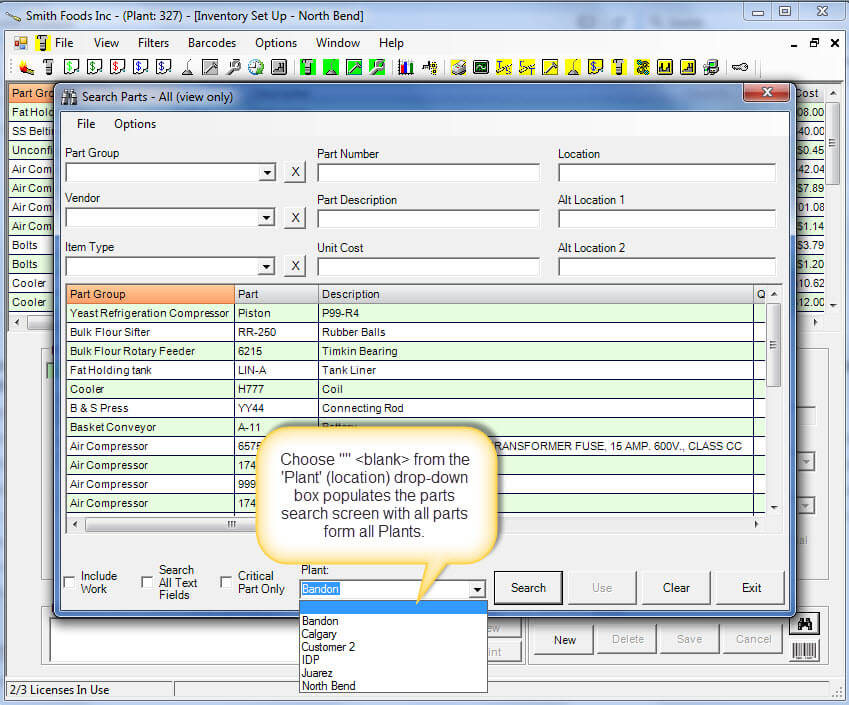
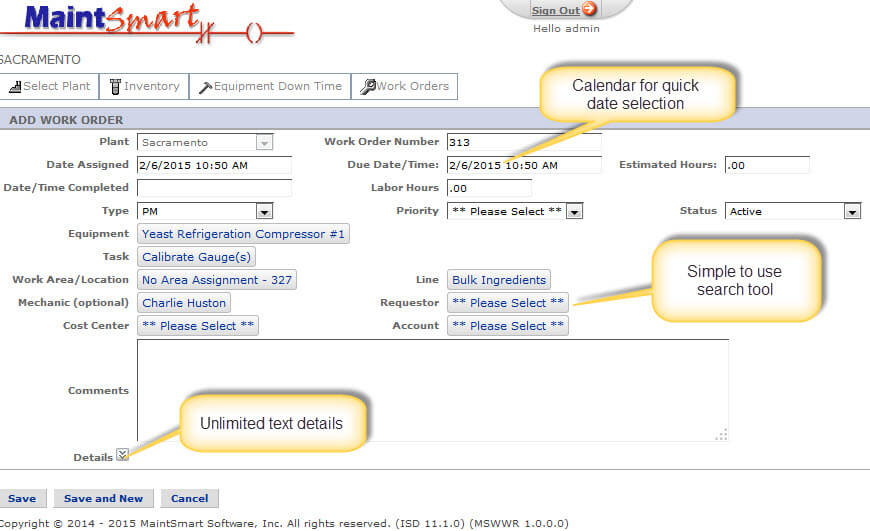
The web based CMMS software module is designed to work with the MaintSmart enterprise system. Use this web-based maintenance solution where the potential for many users to enter work requests (repair tickets), search inventory or submit equipment failure records exists.
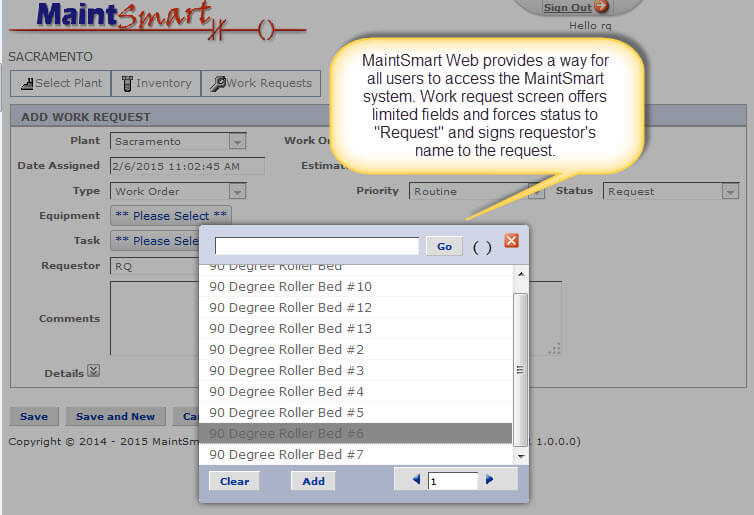
This optional web enabled work request module .is available for equipment maintenance operations where you do not need the full software package on every terminal.
Call for a Live Demo ~ +1.541.404.0616
Web Based CMMS Repair Tickets
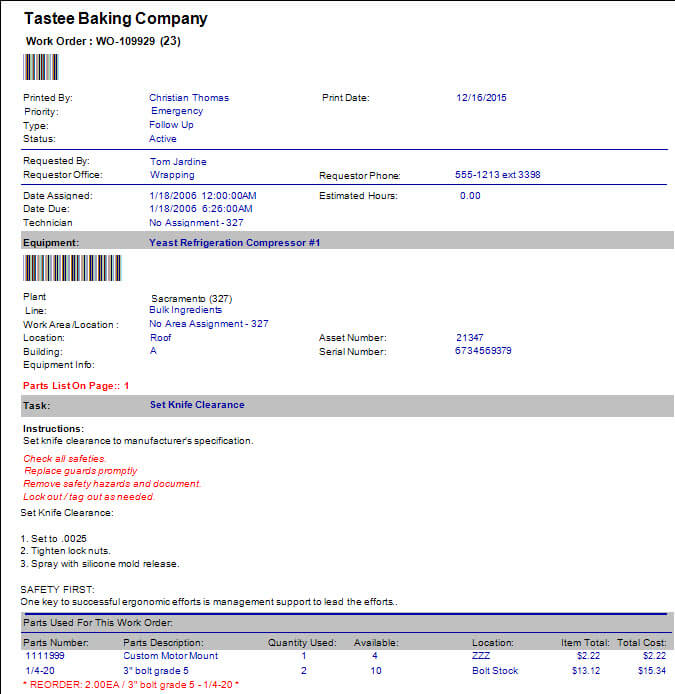
All users in your maintenance operation may submit repair tickets (work requests). To clarify, a work requests is a work order that has not been elevated to full work order status yet by the maintenance planner. All repair tickets submitted in the web-based CMMS appear in the main enterprise database work order screen where they are easily viewed, approved then elevated to full work order status.
Web Based PMs
Create work orders from anywhere you have an internet connection. Use any web enabled device. The preventive maintenance (PM) module provides a quick way to manage and close PMs anywhere. Use the preventive maintenance module for managing PMs or if a more detailed PM format is required use the powerful work order templates feature.
The web-based preventive maintenance software module provides access to the full PM management system including spares linking and usage.
Equipment Downtime Tracking
Enter downtime on the plant floor from any device. Consequently, the main CMMS software program displays this downtime data submitted through the web module. This downtime data is now available to extensive root cause analysis, reliability analysis and overall equipment effectiveness reporting.
Edit, duplicate or delete downtime records from the web module. Since this page corresponds to the enterprise CMMS version of the equipment failure tracking software module and all data entered into the web portal is accessible in the enterprise software system.
Web-Based CMMS Software.
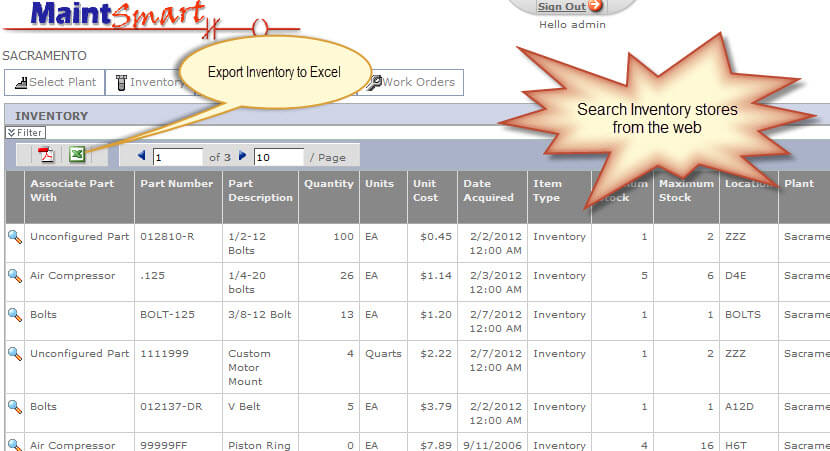
Web-based Inventory Search.
Methods for Creating Work Orders
- From the web based work request module.
- Directly from the work order software screen.
- Duplicate an existing work order from the work order screen. Learn how...
- Use the work order software to automatically create a work order from a work order template based upon a schedule.
- Automatically create a work order from a work order template based upon a meter. Learn how...
- Create a work order from the equipment tree.
- Create a work order from embedded preventive maintenance tasks.
Contact Us! We want to hear from you.
- Installer password.
- Free help documents and videos.
- Free personalized online demonstration.
- Any questions?
- Pricing for software.
- Formal quote or proposal.
- Free consultation.
- Suggestions or any comments.