
Reliability Analysis in a CMMS Software Solution
This CMMS package is the only maintenance software solution that includes a reliability analysis module. Moreover, MaintSmart uses AMSAA (army material systems analysis activity) standard, the same reliability analysis method that the United States military uses. Reliability analysis in this CMMS software provide several important KPIs. The KPIs listed below are useful in determining how often an equipment item may fail. Likewise, these KPIs analyze how well your current preventive maintenance program is working. Additionally, MTBF (mean time between failure) for specific failures on specific equipment, guides the maintenance manager with setting appropriate preventive maintenance task intervals used to prevent future equipment failures.
Reliability module addresses these questions:
- Are equipment failure rates getting better or worse?
- How long can an equipment item run before it fails?
- Which tasks do I assign to prevent future failures?
- What is the percentage chance of an equipment item failing during a specified time period?
- Are there steps that I should take to achieve maximum, immediate improvement?
How Can Reliability Analysis Improve a Maintenance Management Program?
- Reliability analysis tells the maintenance manager if equipment is becoming more or less reliable during a specified time period. Does any other CMMS provide this valuable information? Answer: No.
- Enter a number of expected run time hours and the CMMS determines how any hours the equipment will run before it’s expected to fail.
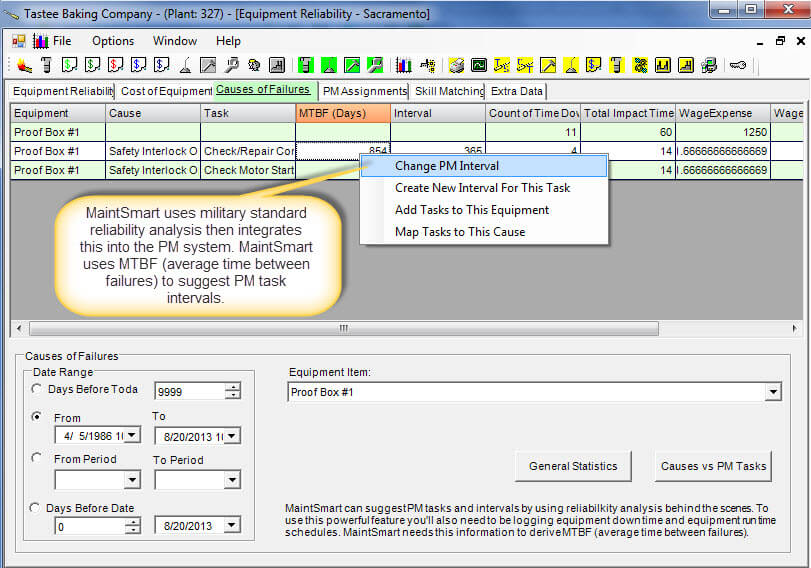
- The CMMS uniquely provides a simple way for you to link failure causes to preventive maintenance tasks. The reliability module displays the MTBF (average time between failures) based on failure cause. Simply set the preventive task to an interval less than the MTBF to circumvent the future failures from the reliability analysis screen.
- Enter a number of expected run time hours and the program tells you the probability of a failure during this time period.
- One way of gaining maximum benefit for your equipment maintenance operation would be to evaluate entire groups of equipment (work areas) at one time. Work areas are logical groupings of equipment assigned to one person for the purpose of preventive maintenance. Next select the 2 or 3 equipment items with the lowest MTBF (>0) and/or equipment items displaying an increasing failure rate.
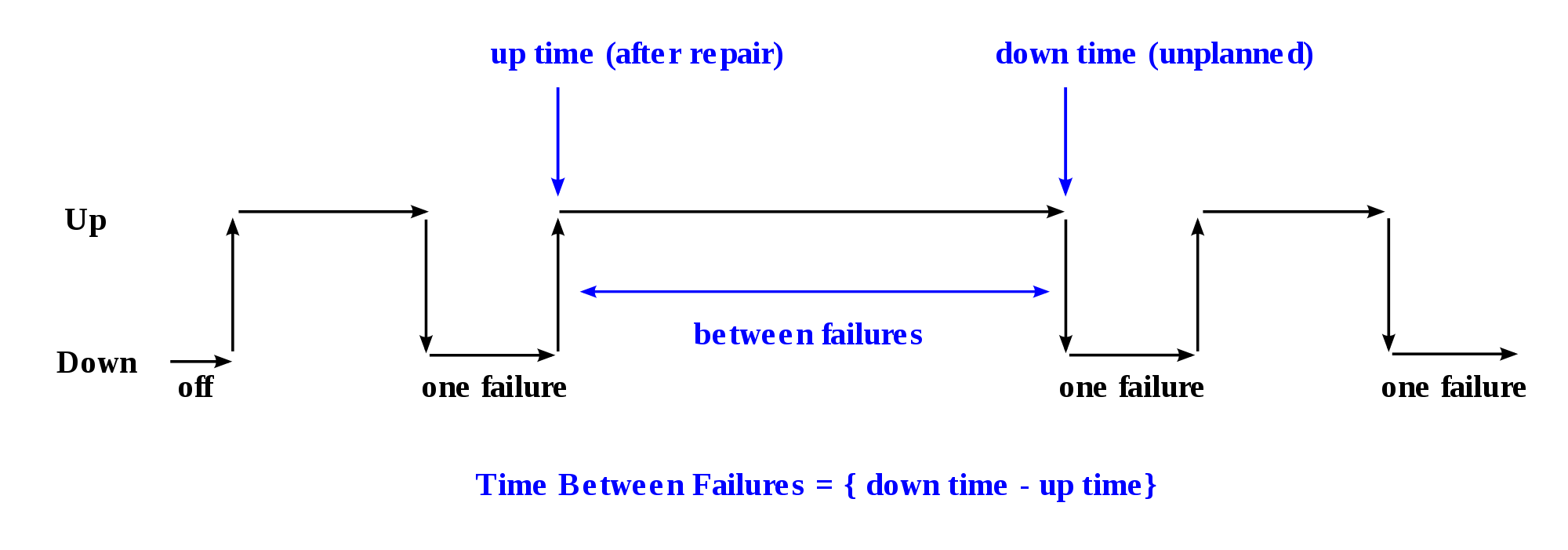
Mean Time Between Failure (MTBF)
Mean time between failure (MTBF) represents the average time between unexpected equipment failures.
The reliability CMMS software module calculates MTBF based upon equipment failure data. Indeed, MaintSmart is the only CMMS software that includes a dedicated equipment failure tracking (equipment downtime) module with the base program. This equipment downtime collecting capability makes it possible for the program to provide an analysis of reliability, OEE and equipment failure statistics and charting.
Failure Rate
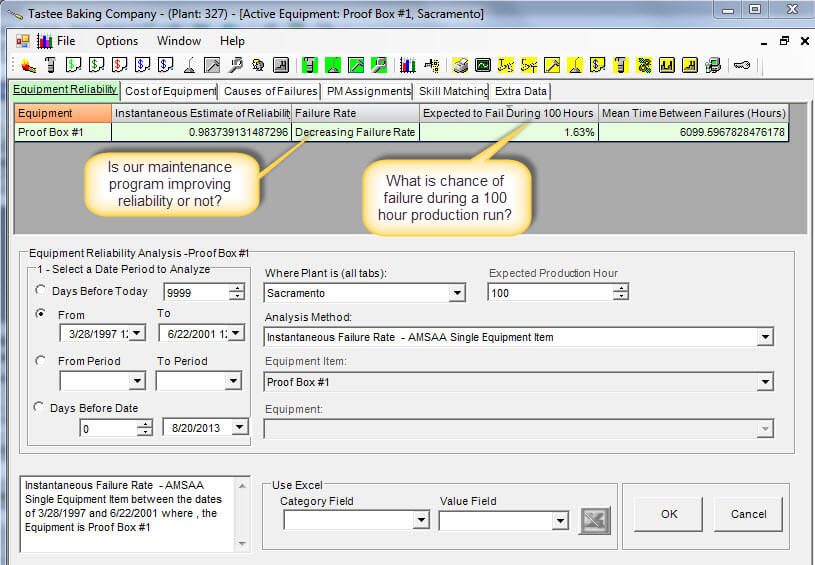
Failure rate predicts the percentage chance of an equipment failure occurring during a specific time period. Additionally, this reliability analysis method determines whether the failure rate is increasing, decreasing or remaining static. Most importantly this valuable information is simple to access and leverage to your benefit in the CMMS reliability analysis module. If failure rate is increasing, this indicates that failures are occurring more often and corrective measures should be taken. A decreasing failure rate could indicate that whatever the maintenance team is doing is working and is a validation of their PM plans and efforts.
Adjust PM Intervals with Objective Data
This analysis module offers a powerful function that compares MTBF to preventive maintenance task intervals for tasks that are considered preventive tasks to the particular failure cause(s) used to obtain MTBF. The preventive maintenance task intervals are adjusted directly from the reliability analysis screen . By using this function the maintenance manager is assured that he is using real data to make important decisions regarding preventive maintenance.
What is Failure Rate?
Failure rate predicts the percentage chance of an equipment failure occurring during a specified time period and is rate of failure is improving (fewer failures) or not.
MTBF and Preventative Maintenance Task List
Adjust preventive maintenance task intervals from the reliability analysis screen based upon MTBF.
What Are Benefits of Using the Reliability Module?
- Accurately access the performance of the preventive maintenance program.
- Locate trouble spots
- Optimize the preventive maintenance task intervals.
- Report on equipment reliability.
- Report on failure rate.
- Use real data to manage the maintenance of equipment.