
CMMS Software for Preventive Maintenance
CMMS Software (computerized maintenance management system) for Work Orders, Preventive Maintenance, Downtime and Reliability Tracking, Maintenance Inventory and Purchasing Management by MaintSmart.
Helping maintenance managers worldwide succeed for nearly 25 years!
NEW! FREE YouTube Videos
- NEW! Mobile CMMS for iPhone or Android!
- Over 100 Free CMMS Training Videos!
- 7 Ways to Generate Work Orders
- Frequently Asked Questions (FAQ)
- Our CMMS Translates to ANY language. (In 43 countries)
- Web CMMS software for work requests.
- Automatic work orders by time, day, demand or event.
- Multi-site CMMS.
- Equipment downtime tracking and analysis.

What is CMMS Software?
CMMS stands for computerized maintenance management system. Other terms for this category of software are facility maintenance software, facility management software and maintenance CMMS systems. Additionally, terms such as machinery maintenance program, enterprise asset management EAM software, property management software, preventative maintenance (PM) software are often used. As such, these terms are used interchangeably throughout our web site. Maintenance teams around the world use various CMMS systems to implement their maintenance strategy, day to day maintenance operations and track asset history. Maintenance tracking software benefits nearly any organization where equipment is used. For example, plant maintenance, fleet maintenance, industrial maintenance systems and more. Choose from enterprise, web-based or mobile versions of the program.
Why Use a CMMS?
Our web site seeks to instruct on how, when and where it is appropriate to use a maintenance management software program and what benefits are obtained from its use. Additionally, there are several case studies that serve as actual examples of successful implementation of a maintenance management system. Lastly, performing a CMMS software price comparison our our software over any of our major competitors reveals that our system easily compares with software costing up to fives times as much. Learn more from this CMMS wiki.
What are CMMS Modules?
CMMS preventive maintenance software modules represent the various capabilities included in a facilities maintenance management system. Typically, the base module is the work order management system. As such, nearly all preventive maintenance software programs have this basic module. Indeed, many systems only have this one module and perform all maintenance functions as work orders. Similarly, our software has the ability to perform all maintenance functions as a work order as well. However, our solution also includes a dedicated PM software module, a downtime module, a complete spare parts management system and a complete purchasing management system. Accordingly, one software solution serves all functions of a working maintenance team.
Reporting and Analysis Modules
Some maintenance teams elect to use all CMMS modules. Others use one module or a combination of two or more modules. Of course, the choice is yours and the program works beautifully either way. Furthermore, our CMMS software includes extensive analysis and reporting for each of the primary software modules within the system. These analysis modules provide extensive key performance indicators (KPIs) and reporting information on all aspects of the facilities maintenance management system. Best of all, these analysis tools guide the maintenance manager in planning, scheduling, compliance, policy making and optimization of the overall maintenance program. Eventually, this leads to cost-savings, a focused and efficient maintenance team as well as a smoother running machinery in general.
Who, What, Where and Why?
Our maintenance management system CMMS is designed, developed, supported and packaged in the United States of America. Our software solution is used by facility managers, maintenance planners and maintenance managers in forty-two (42) other countries worldwide for the past 23 years. Furthermore, our software is completely translatable into any language.
Resources to Help You Get Started
The Quick Start Guide explains the basics of log in and language selection (if not using the default English). The sample database is populated with sample equipment assets. Additionally, the demo contains a blank database so that you can set up your own company assets. Furthermore for our non-English speaking user we provide a download for the demo CMMS software program contains ten (10) different language translations. Granted, these are machine translations and while not particularly accurate they do provide a base to work from. However, the software provides an intuitive translator that guides the user in translating the software text to any language.
Contact our experienced support team for a free personalized online demonstration and answers to all your questions.
Start Here:
- PowerPoint on basic features.
- Introductory Videos:
- Blog Postings

CMMS Preventative Maintenance Software - MaintSmart CMMS software includes ALL modules:
CMMS Solutions Feature List:
- Work order management systems
- Preventive maintenance management
- Equipment downtime tracking and analysis
- Purchase order management
- Inventory management
- Reliability analysis
- Overall equipment effectiveness
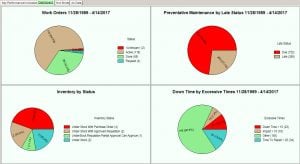
- CMMS dashboard
- Automatic report/work scheduler
- Automatic critical event notification
Windows 7, 10 PC or Cloud with web-based work request module.
Translates to Any Language
Video: How to translate the CMMS program into any language.
- English (default)
- Arabic
- Chinese
- German
- Spanish
- French
- Japanese
- Vietnamese
- Portuguese
What is Preventive Maintenance CMMS Software?
Manage machine maintenance and reduce downtime with CMMS software (also known as a computerized maintenance management system). Companies and organizations use computerized maintenance management systems and maintenance software programs to manage maintenance operations. For example, manufacturing plants, hospitals, colleges and universities rely on CMMS software for maintaining their equipment assets. Similarly, municipal utilities, hospitality industry, government, fleet maintenance and facility management systems use CMMS solutions for equipment maintenance and for tracking maintenance costs. Besides basic maintenance needs, our CMMS system provides work flow management, equipment downtime tracking, reliability centered maintenance and more. Additionally, software modules for automatic scheduling of work by date/time, meter or event save the manager time and money.
By using a structured preventive maintenance software solution downtime is minimized or prevented altogether leading to improved uptime and equipment availability.
How is Work Scheduled and Managed?
Typically when equipment needs work an equipment operator submits a repair ticket at their workstation or through a web page. Next, the maintenance manager looks at the repair ticket on his/her computer and elevates it to full work order status. Additionally, a technician is assigned to the work along with a task list, tool list, spare parts list and required due date. Finally, when the job is finished the technician or the manager closes the work request (repair ticket). This job is archived for future reporting.
Automated Work Issuance
Another way to manage work is by using the preventive maintenance module (PM). This module offers a simple list of calendar-based PM tasks. These tasks are easily checked off when completed. Simultaneously, the software automatically reschedules these tasks and archives the history all in one step.
Both of the above work scheduling software modules are used to issue work automatically to a printer or to email at exactly the right time. Lastly, MaintSmart optionally provides an OPC (OLE for Process Control) data link directly to equipment. Ultimately, the equipment tells the software when it needs maintenance through this link. As expected, the system responds with the right work order at exactly the right moment. No other PM system CMMS offers this time-saving, demand-based feature.
What Real Benefits Come from Analysis and Reporting?
Reporting and analysis of maintenance data is often the "payoff" with maintenance management CMMS solutions. First of all, maintenance history gives insight into future equipment performance and helps track repairs and associated labor. Additionally, reliability analysis links with the PM module suggesting the correct preventive task and interval. This provides an interactive predictive maintenance capability not found in most maintenance management solutions. With this in mind, the ability to create accurate PM task lists with applicable intervals saves time and money immediately while providing additional machine reliability.
Reporting tools included in our CMMS include Crystal Reports, direct Excel export, direct web based export, report builder and raw data export. Additionally, the reporting module uses a simple drag and drop capability. As such, software users easily create customized reports of any data by dropping various fields onto the report. Best of all, this useful report builder generates a corresponding chart with the report automatically. Furthermore, the entire data set exports to Excel for more analysis with one button-click! It really could not get much simpler that that, could it? This report builder uses all data in the preventive maintenance CMMS software. In short, create any report you need from any part of the program in seconds!
What Capabilities are Included?
Work Request Management
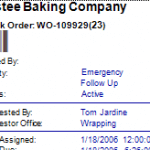
Generate work orders automatically, manually, by equipment demand or as scheduled periodic work. Additionally, there a seven ways to create work orders. Work orders may be very simple or comprehensive with extensive procedures and spare parts lists. Link work order templates to machines to create work lists automatically based upon equipment demand. No other CMMS does this at any price.
Preventive Maintenance
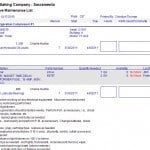
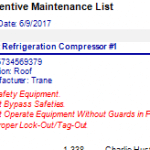
Preventative maintenance management is important to maintain equipment life and reliability. Our CMMS solution provides a simple way to track and schedule PMs. Moreover, this module has a way to link maintenance tasks to reliability analysis to optimize the PM task lists then adjust maintenance work task intervals based upon MTBF. The end result is, smoother running equipment and increased productivity and availability.

Downtime History
Tracking down time (equipment failure analysis) is the best way to positively identify problem equipment, procedures and personnel issues quickly and efficiently. Additionally, use downtime information to track specific problems, guide the maintenance manager with OEE (overall equipment effectiveness) and determine equipment MTBF and Failure Rate with our exclusive reliability analysis software module.
Purchasing / Inventory
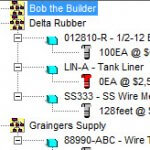
Inventory use is a big cost center for many maintenance operations. As such, this software solution has a complete purchasing and spares management module. Use this module to track spares usage, purchase requisitions, purchase approvals, purchase orders and even invoice matching. This CMMS is a complete purchasing system integrated into a maintenance work system.
How is Our Software Different?
- Build custom reports with exclusive report builder.
- Extensive downtime tracking software module guides your predictive maintenance efforts.
- Uses military standard reliability analysis.
- One of the only computerized maintenance management systems with OEE (overall equipment effectiveness).
- Generate work orders automatically by event, condition or date/time.
- Only machine maintenance application that provides a powerful, flexible and easy to use automatic print and email scheduler.
- The unique three (3) dimensional equipment hierarchy offers flexible search and reporting.
- Translate software into any language.
- All data exports to Excel in seconds.
- Create a web page of any data instantly.
- Trigger work orders automatically by schedule or equipment demand.
- Powerful work scheduler.
- Interactive dashboard.
- Scalable to any size equipment maintenance operation.

How is Our Company Different?
- We have been in business twenty-three years. With this in mind, you can be certain that we will be here when you need us.
- Customize to any equipment maintenance operation.
- Lead designer of this software a maintenance manager for over 20 years.
- Free lifetime email support.
- On the cutting edge with annual updates. We listen to our users and act upon their requests.
- Corporate social responsibility is an important part of our company strategy.
Download the Free 30-Day Full Maintenance Software Solution.
This is the full CMMS with a 30-day trial period. Use it as you would if you already own it. Unlimited free CMMS software training with trial download.
Contact Us
- +1-541-404-0616
- Request the 30-Day trial of the complete CMMS software application
- Personalized Web Demonstration
- Documentation
- CMMS blog for many useful tips
- All questions and comments are welcome.
Get Your Free Consultation and Language Translation
We want to hear from you!
MaintSmart Software, Inc.
66164 Homestead Rd.
North Bend, OR, 97459
United States of America
Phone: +1-541-404-0616
Skype: maintsmart
Email (contact form below)